How to Reply When a Client Asks for Extra Work
· FlashFilm Academy
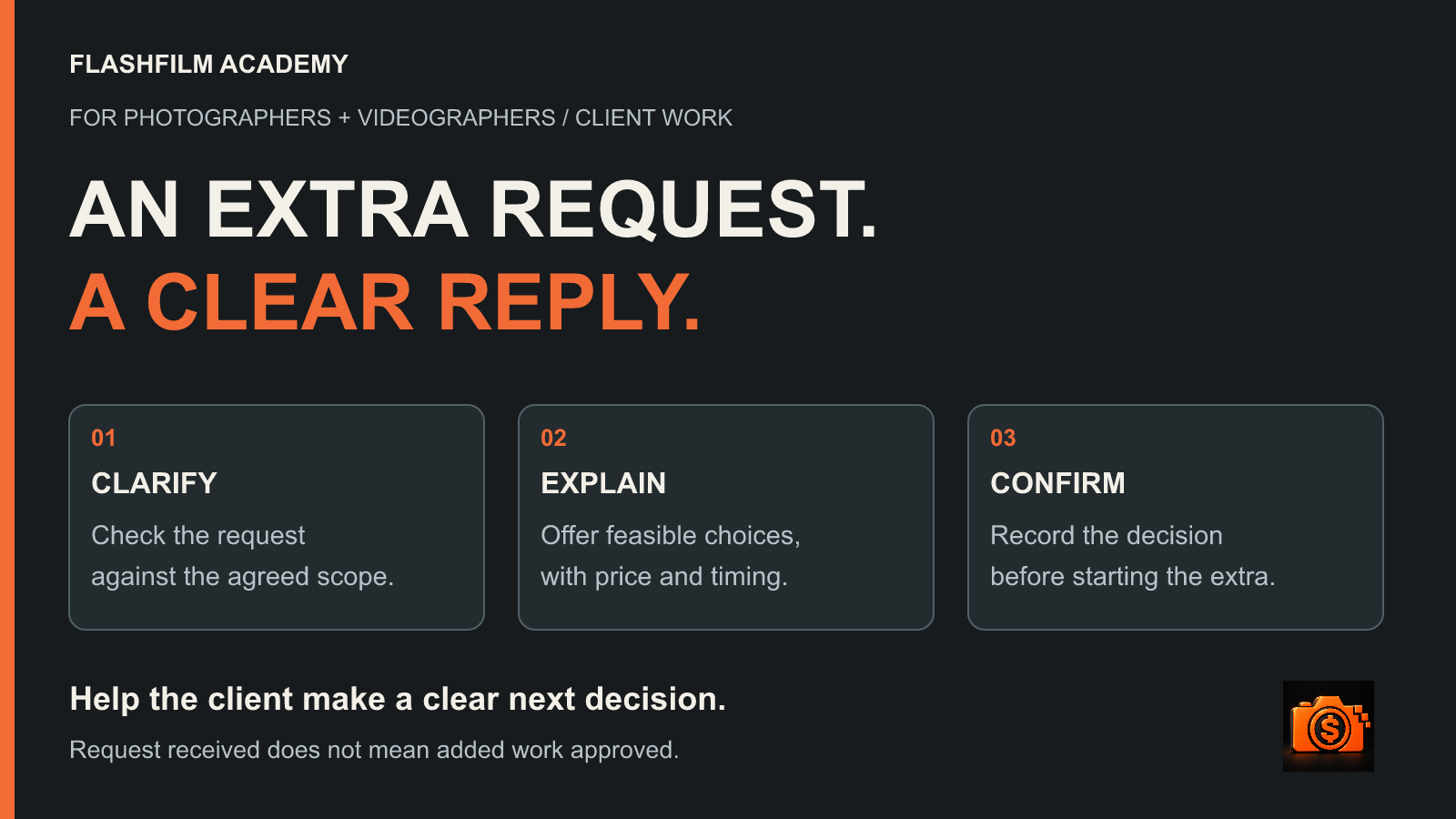
When a photography or video client asks for extra work, acknowledge the request, compare it with the agreed scope, and explain the available options before starting the addition. If it changes the work, quote the specific deliverables, price and schedule impact, then obtain approval through the project’s agreed change process. Treat your own delivery errors separately from new client requests.
A useful reply helps the client make a decision. It identifies what they want, what the current project includes and what needs to happen next. For photographers and videographers, this is a practical communication skill as well as a production-planning task.
Start with an acknowledgment that leaves room to assess the request
You do not need a complete new estimate to acknowledge a message. You do need to avoid accepting an unassessed deadline, fee or deliverable. “I’ll check what this requires and send you the options” gives you room to review the actual request.
For example: “Thanks for outlining the additional location. I’ll compare it with our approved plan and check the production and delivery requirements. I’ll send you a clear option before we commit to the added work.” This is an original example response, not wording copied from the Academy’s paid kit.
Give a realistic time for your assessment when you know it. If you need more information first, ask for it directly. An immediate “no problem” can leave the client believing that the work and original delivery date are already confirmed.
Check the scope before describing the request as an extra
Open the accepted proposal, agreement, coverage plan and current review version. Identify the actual boundary involved: number of setups, filming locations, finished images, edits, formats, review rounds, usage or delivery timing. Compare the request with those records.
Separate three possibilities. An included revision fits the agreed work and review process. A production correction addresses something your delivery got wrong. Proposed additional scope introduces work or a requirement beyond the current agreement. A request can contain more than one of these, so classify the individual items rather than assigning one label to the whole email.
If your delivered graphic misspells the name supplied in the approved brief, do not automatically treat the fix as a paid addition. If the client requests a new filming location that was not in the approved plan, assess that separately. Where the scope is ambiguous or disputed, clarify the record before asserting an extra charge. Contractual rights depend on the agreement and applicable law.
For the narrower question of how included feedback is grouped, read our guide to defining a video production revision round. Here, the focus is the reply that moves a specific request toward a clear decision.
Ask the question that changes the estimate
Avoid sending a long questionnaire when one missing detail controls the next step. “More photographs” could mean additional selections from the existing session, new retouching, different crops or another shoot. Those are different jobs to assess.
Ask which files or setups the client means, what they need the result to do and when it is required. For an edit, request the asset name, version and location of the requested change. For new filming, clarify people, access, preparation and the intended finished deliverables.
Adobe’s client video collaboration guidance recommends clarifying ambiguous feedback, defining stakeholder roles and organizing project communication. Apply that practical approach before you turn a vague request into a priced commitment.
Explain the impact in terms the client can use
Describe what changes in the production plan. An added interview may require scheduling, preparation, access, recording, editing, captions and another review. An additional photograph may require a new setup or simply a previously discussed selection. Assess the real work instead of applying the same response to every request.
Keep your internal estimate separate from the client’s decision summary. The client needs to understand the proposed result, the amount and currency, relevant expenses, required inputs and any revised milestones. Explain dependencies such as product readiness or interviewee availability instead of promising a date that assumes they are already resolved.
The Project Management Institute’s 2015 discussion of fixed-price projects describes clarifying a change and presenting its scope and price for client review before implementation. That is a useful planning reference, not a current legal rule or a pricing formula for every creative business.
Offer a choice you can actually deliver
Usually, start by explaining the original agreed option and the proposed addition. Where practical, offer a smaller alternative that addresses the client’s priority. A reduced option needs its own clear deliverables; removing an item does not automatically make the rest of the change cost-neutral.
Keep the options easy to compare. State what each includes, what it leaves out, its price treatment and its timing. If you cannot fit the new work into the original date, say so before asking for approval. Do not offer an impossible deadline simply to make the additional scope attractive.
You can decide to absorb a limited addition as a business choice. If you do, document the exact exception and what it does to the plan. Avoid making an undefined promise of unlimited future changes. A courtesy also does not resolve a disagreement about what was included originally.
Example: a client adds another photography location
Imagine a fictional product-photography project with one approved location, eight product setups and a defined image list. The client now requests four new setups at a second location. These are invented teaching details, not an Academy client’s project or the worked example supplied in the paid kit.
First, confirm what the new setups require. Can the products be prepared together? Is access available? Does the second location require travel and a separate setup? Which finished images and uses does the client need? Can the original coverage still proceed as planned?
After assessing the answers, send a concise decision message. For example: “The current plan covers the eight approved setups at the first location. The four new setups at the second location need an additional production plan and finished-image list. We can keep the approved plan, or I can send a separate option for the added location with its fee, required inputs and delivery dates. Please confirm the new setup list so I can prepare that option.”
That message acknowledges the opportunity without inventing a price or claiming the addition is approved. Once you have assessed it, replace the request for information with the actual proposed scope and commercial details. Reference the correct version of that proposal and the agreed approval method.
If the client says the second location was already discussed, return to the project record. A conversation may have introduced an idea without settling it, or your paperwork may be unclear. Resolve that uncertainty before using a template to insist on your preferred interpretation.
Make the decision request explicit
Finish the reply with one clear action: supply the missing information, select an option or approve the identified change through the agreed process. Name the person who needs to decide and any real deadline affecting availability. Distinguish a proposal expiry or provisional date from a confirmed booking.
Keep approval tied to the version containing the actual scope, fee and timing. An enthusiastic response to an idea may leave important details unresolved. Do not turn a read receipt, a question about price or silence into an instruction to begin the proposed addition.
Update the working records after the required approval is complete: production plan, deliverable list, project schedule, relevant payment records and instructions to collaborators. Make it clear which version is current. A client should not approve one option while your editor or second photographer works from another.
If the request concerns new footage after an approved cut, our picture-lock change checklist covers the separate impact assessment. Use the reply to communicate that assessment and the decision needed, rather than reopening the edit first and explaining the cost later.
Use the Academy’s Revision & Extra Work Response Kit
For an editable starting structure, join paid monthly or annual FlashFilm Academy membership for Tools & Templates access. The current Revision & Extra Work Response Kit includes an editable Word document, a fillable PDF, a fictional completed example and a walkthrough transcript, alongside a video lesson narrated in Ty’s voice.
The actual resource contains a revision/request log and an additional-work worksheet. It provides places to record the scope reference, request details, classification, completion check, effort, proposed price and schedule, options and approval record. It also includes adaptable response examples. Replace example names, amounts, dates and assumptions with verified project details.
This kit is accessed through paid Academy membership, not a separate standalone kit checkout. It is a communication and planning resource; it does not replace the project agreement, legal review or a required change document. Existing members can open the Revision & Extra Work Response Kit in the Academy.
Questions about extra-work replies
What if I cannot quote the addition yet?
Acknowledge it and identify what is missing. Explain when you can assess it once those inputs arrive. You can promise to review a request without promising the requested work, price or deadline.
Should every small request trigger an extra invoice?
Check what was agreed and what the request actually changes. It may be included, a production correction, a separately quoted addition or a documented courtesy. Make that decision deliberately and communicate it before the affected work, rather than surprising the client afterward.
What if the client declines the extra cost?
Confirm which agreed option will proceed and whether the original plan remains feasible. A decline of the addition is not a reason to silently remove existing deliverables or assume the entire booking has been canceled. Resolve any disputed scope or cancellation issue under the actual agreement and relevant law.
A free option for organizing your client work
If you want a free starting point, get the ten Academy Prompt Kits for photographers and videographers. Choose a relevant business-planning prompt, supply accurate context and check the output against your own project records. The free kits are separate from the paid Revision & Extra Work Response Kit.
New free-resource access requires an Academy account, Academy marketing email opt-in and confirmation when prompted. No paid membership is required for the prompt kits; unsubscribe anytime. Your chosen AI tool and usage costs are separate. For the editable Response Kit, structured training and community support, use the paid membership route above.
YOUR NEXT STEP · START FREE
Turn your creative skills into a clearer offer.
Join AI to Client, our free 5-day challenge for photographers and videographers. Work on your offer, research potential buyers and prepare a client conversation.
Start AI to Client freeEnter your email for a free community access invitation and Academy emails. Unsubscribe anytime. Already a member? Open this resource with your existing account.
Build on your first step with structured training and community. Explore Academy membership.
Join the conversation.
Read along, ask a question, or share your experience. Comments are open to active FlashFilm Academy members.
Loading comments…