Interview Paper Edit: Build a Client Story from a Transcript
· FlashFilm Academy
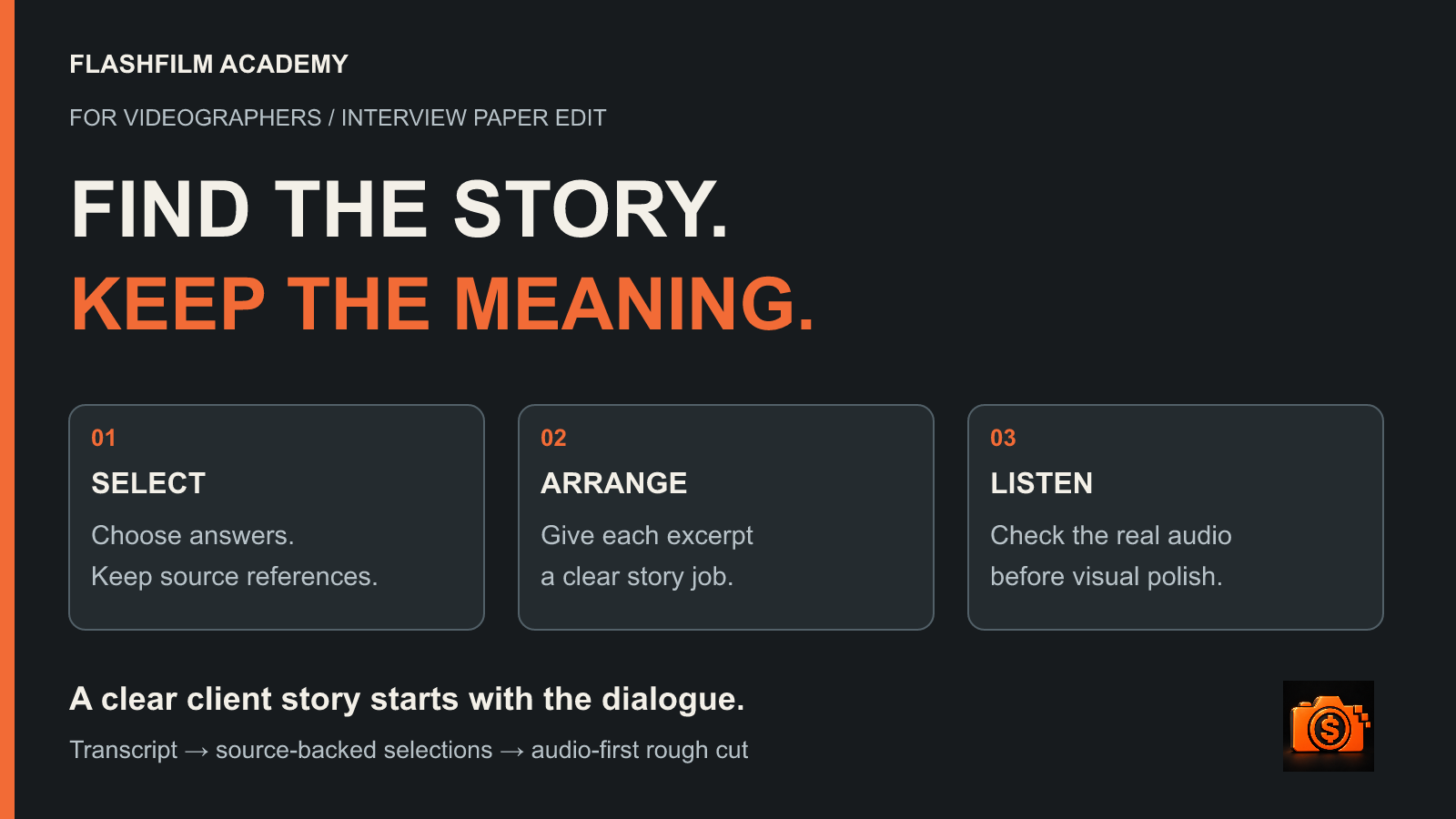
To turn an interview transcript into a client-video story, choose the viewer’s question, select recorded answers that address it, and arrange those answers into a paper edit with source references. Then assemble and listen to the actual dialogue before adding visual polish. Shorten repetition while preserving the speaker’s meaning, qualifications and context.
A paper edit is a plan for what the audience will hear and in what order. It helps a videographer answer a difficult question early: do these selected answers make a clear, supportable story, or are they simply the most polished sentences in the interview?
What is an interview paper edit?
An interview paper edit is an ordered selection of transcript excerpts, connected to their original recordings, with notes about each excerpt’s purpose. You can build one in a document, spreadsheet or an editing application. The useful part is the editorial decision: why this answer belongs here and what the viewer should understand after hearing it.
The document is a working plan, not proof that a cut sounds natural. A sentence that reads cleanly can contain an awkward pause, a change of tone or a reference that only makes sense after hearing the interviewer’s question. Keep the recording as your reference.
Adobe’s current Paper Edit documentation for Premiere describes selecting transcript passages, previewing those selections and their combined duration, then creating a sequence. That is one software implementation; the story-planning process below also works with a simple document and manual assembly.
1. Define one viewer question before selecting quotes
Write the audience, the question and the intended next step in three short lines. For a B2B case-study video, that might be: operations managers; how does this team introduce a new process without disrupting the working day; request a conversation about implementation.
Use that question as a selection test. An interesting answer about the company’s founding may belong in a different film. A concrete account of what changed during a rollout may serve this one. If the brief needs to cover several unrelated questions, clarify the deliverables rather than forcing everything into one short sequence.
Choose an approximate running-time target with the client, but avoid promising a precise duration based on transcript length alone. Leave room for opening context, pauses, necessary identification, visual explanation and the closing next step.
2. Build a source-backed selects sheet
Give every candidate excerpt a source filename, speaker, location in that recording, exact recorded words, proposed story role and a context note. Also note whether it is selected, an alternative or awaiting clarification. Label an elapsed transcript timestamp as elapsed time; do not present it as camera timecode.
For example, a row could read: INTERVIEW_MAYA_01; Maya, operations lead; elapsed 08:12–08:24; exact excerpt; role: explain the change; context: answer concerns the pilot team only. These are fictional identifiers, not a recommendation to rename your original media.
Verify names, negatives, quantities and specialist terms against the audio. Keep an untouched transcript or source copy and make selections in a separate version. A convenient text search does not establish that the transcript captured every word correctly.
Keep the question and surrounding answer available even when they will not appear in the final video. They help you assess what a pronoun refers to, which period the speaker meant and whether a sentence was conditional.
3. Assign each answer a story job
Try four roles: situation, change, evidence and next step. The situation explains what the viewer needs to understand. The change describes an action or decision. The evidence supplies a specific, supportable observation. The next step tells the intended audience where to go from here.
These are planning roles, not a formula every film must follow. A recruitment profile may work better around motivation and daily experience. A process explainer may need a chronological order. Choose a structure that serves the actual material and brief.
When two excerpts do the same job, compare them. Which one is more specific? Which needs less missing context? Which sounds like the person speaking rather than a rehearsed slogan? Keep the other as an alternative instead of repeating the same point twice.
A fictional example: three answers, one clear story
Imagine an interview about a maintenance team introducing a booking checklist. The excerpts below are invented for teaching. They are not client testimonials, measured results or quotations from a real production.
Situation: “New customers often called twice because they weren’t sure what information we needed before a visit.” Change: “For the pilot, we sent one checklist before the appointment.” Observation: “The pilot team said the calls were easier to prepare for, but we haven’t measured whether it reduced repeat calls.”
A useful first assembly presents the problem, the pilot action and the limited observation. Preserve “for the pilot” and the measurement limitation. The story can explain a practical change without claiming a proven business result.
An inaccurate edit could combine “we sent one checklist” with an invented title reading “Fewer repeat calls.” The interview does not support that result. Removing “haven’t” from the last sentence would also reverse its meaning. A client’s wish for a stronger outcome does not create supporting evidence.
If the missing result matters to the brief, flag it as an open question. Ask for a verified source or a follow-up recording. Keep an editor’s explanatory note separate from the speaker’s words, and clearly distinguish any later written narration from recorded interview testimony.
4. Check what the new order implies
Reordering answers can suggest a cause, chronology or agreement that the speaker never expressed. Listen to the source around each selection, then read the new sequence as a whole. Does a statement about one customer now sound like a claim about all customers? Does an early experiment appear to be an established service?
Watch connecting words and references: “because,” “after that,” “sometimes,” “in our first trial,” “they” and “this.” Removing one may change the claim. Moving an answer immediately after a different question can make it sound like a response to something the person was never asked.
The Oral History Association’s ethics statement asks users of edited oral sources to respect the narrator’s meaning and context. Although written for oral history, that principle is useful for client interview work too. It is an editorial reference, not a claim that every commercial project follows an oral-history approval process.
Do not hide a meaning-changing edit under a cutaway. Visual coverage can make an edit smoother to watch; it cannot make an unsupported statement accurate.
5. Assemble an audio-first rough cut
Bring the selected original dialogue into a new working sequence in the planned order. Keep the source media and original interview intact. Include enough sound around each selection to judge the start, finish and transition, then refine while listening.
Play the sequence at normal speed without music. Check whether the speaker is understandable, the references still make sense and each transition feels plausible. Leave useful breaths and pauses. An interview is spoken communication; making every line as compressed as a written headline can remove its rhythm.
Measure the assembled duration rather than guessing from word count. If the cut is long, first remove duplicated ideas or a story branch that does not answer the viewer’s question. Then shorten individual passages carefully. Do not accelerate the speaker or strip all hesitation simply to meet an arbitrary first estimate.
If a necessary sentence cannot be made clear without manufacturing a new statement, choose another excerpt, retain more context or request a pickup. Mark unresolved decisions before spending time on elaborate graphics and transitions.
6. Review the story before finishing the visuals
Agree on a review stage appropriate to the project. A text paper edit can help a client review message and terminology; a dialogue rough cut also reveals delivery and pacing. Label the version and say exactly which decisions you need: factual corrections, story order, missing context and any claims requiring evidence.
Keep decisions in one place. For each change, record the requested adjustment, who approved it and whether it requires a new recording or a change to the agreed scope. A sentence approved in a document may still need work when heard, so explain what remains provisional.
Once the dialogue tells the intended story, plan visual coverage. Our guide to turning an interview transcript into a B-roll shot list covers that next decision: what you have, what you still need and what each image should explain. The paper edit decides the story; the coverage plan supports it.
Can AI help create a paper edit?
Use AI to propose candidate selections or alternate orders, then verify every choice yourself. Only upload material you are authorized to share to a service whose data handling fits the project. Remove unnecessary confidential information before using an external tool.
Try this prompt with an authorized, checked transcript: “Propose an interview paper edit answering [viewer question]. Select only exact excerpts from this transcript. For each selection, retain the source identifier and supplied location, explain its story role, and include the surrounding context needed to judge it. Do not invent testimony, references or results. Flag missing evidence and qualifiers. Return two possible story orders for human review.”
Treat the output as a proposal. Check the quoted text and source locations, listen to the recordings and inspect what the proposed order implies. A fluent summary is not a usable interview quote, and an AI-generated timestamp is not a reliable source reference unless verified.
Interview paper edit FAQs
Is a paper edit the same as a shooting script?
No. A shooting script plans material to record. An interview paper edit organizes material that has already been recorded. It may reveal the need for an additional answer or pickup, but it should not silently turn a planned sentence into something the interviewee supposedly said.
Should I include every good answer?
Choose answers that serve the agreed viewer question. Save strong alternatives in a selects document. Several useful answers may belong in separate deliverables, especially when the audience, message or intended next step changes.
Can I remove filler words and false starts?
Often, but listen to the result and check context. Removing a verbal stumble differs from removing uncertainty that affects the meaning. Preserve qualifications that tell the viewer how limited, conditional or tentative a statement is.
Practice the editing workflow
Ready for a practical next step? Start AI Edit Kickstart, the free 3-Day Challenge, to practice connecting an assistant, building a rough cut and reviewing an export. It demonstrates a workflow in DaVinci Resolve Studio 21.1 with a supported desktop AI assistant; software and AI usage costs are separate. It is an editing practice challenge, not a guarantee of an automatic interview story.
Create or sign in to your Academy account, opt into Academy marketing emails for new free-resource access, and confirm your subscription when prompted. No paid membership is required for the challenge; you can unsubscribe anytime. For structured training and community support, explore paid monthly and annual FlashFilm Academy membership.
YOUR NEXT STEP · START FREE
Make your first AI-assisted edit.
Work through AI Edit Kickstart, our free 3-day challenge for videographers. Connect your assistant, build a rough cut, then review and export a practice video.
Start AI Edit Kickstart freeEnter your email for a free community access invitation and Academy emails. Unsubscribe anytime. Already a member? Open this resource with your existing account.
Demonstrated with DaVinci Resolve Studio 21.1 and a supported desktop AI assistant. Software and AI usage costs are separate.
Build on your first step with structured training and community. Explore Academy membership.
Join the conversation.
Read along, ask a question, or share your experience. Comments are open to active FlashFilm Academy members.
Loading comments…