New Footage After Picture Lock: A Client Video Change Checklist
· FlashFilm Academy
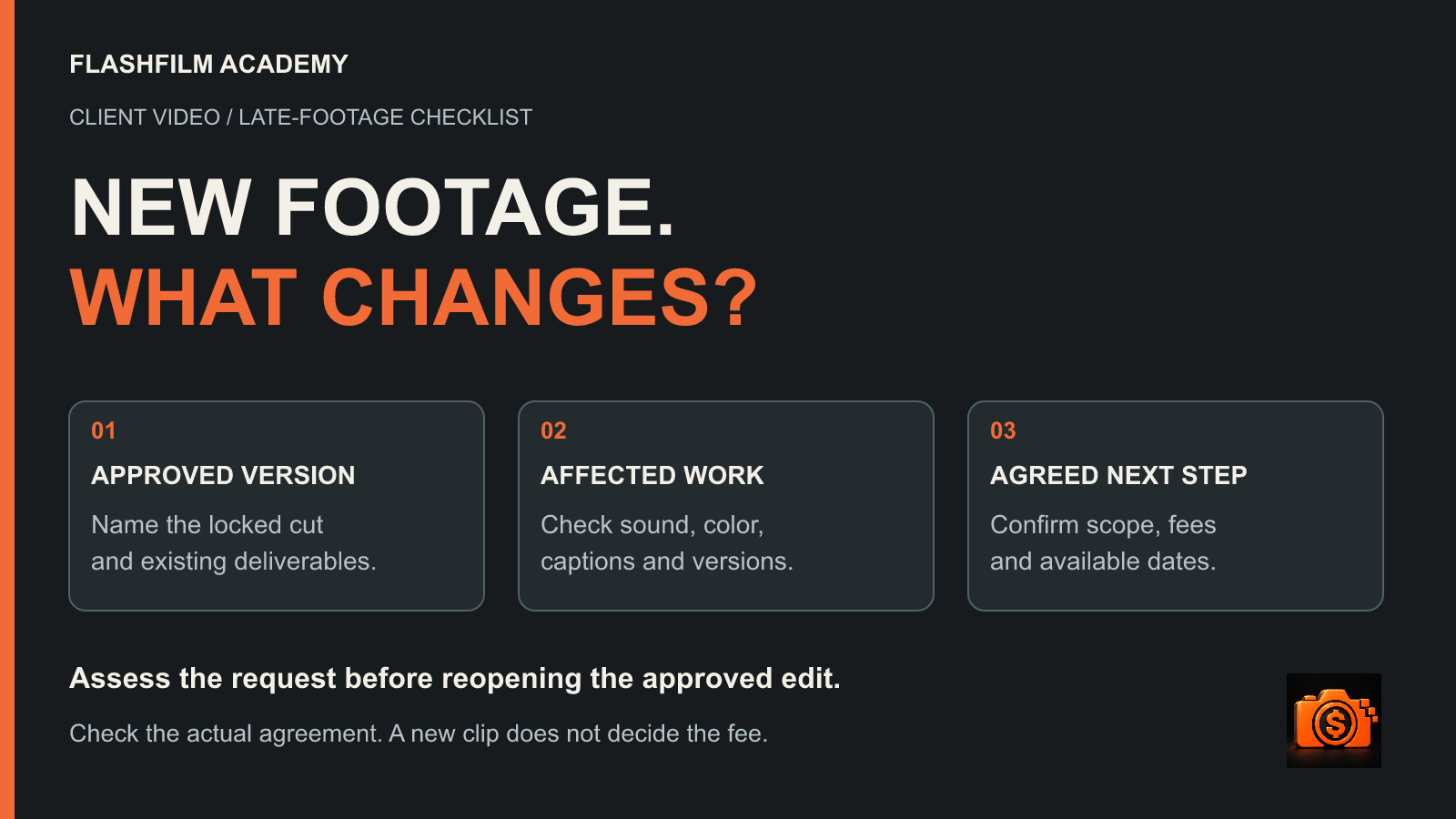
When a client sends new footage after picture lock, compare the request with the approved version and agreed scope before reopening the edit. Identify which deliverables and finishing tasks would change, confirm permissions for the new material, and agree on any additional fee and revised dates before starting. New footage is a request to assess; it does not automatically establish either a free revision or a new billable project.
This guide is for freelance editors, videographers and photographers who also deliver client films. It focuses on a specific late-stage decision: what happens when new material arrives after the client has approved the visual edit. A clear response helps the client choose a workable route without losing track of the version already approved.
What does picture lock mean on a client video?
Picture lock is the agreed point when shot selection, order and edit timing stop changing so finishing can proceed against a stable cut. It does not mean the finished video has been delivered or that every sound, color and graphics task is complete. Define the milestone in your own project process and explain it before asking a client to approve it.
Frame.io's editing-stages guide explains why a stable picture matters to color, sound and finishing teams, and why reopening editorial decisions can create extra work. For a small business video, use the same principle at an appropriate scale: make clear which visual decisions are approved and which finishing tasks remain.
Record the exact approved file or review version, its runtime, the date and the authorized approver. A message saying “looks good” needs enough context to identify what was reviewed. Keep that evidence with the project rather than relying on the latest attachment in a busy email thread.
First ask what the new footage is meant to change
Ask the client to name the result they want. Are they replacing an outdated shot, fixing an error, adding a new interview point or requesting an additional film? Get the actual files and proposed placements before estimating the work. A folder containing twenty clips does not tell you whether the client expects one insert or a different story.
Compare that request with the deliverables and responsibilities already agreed. If you omitted a supplied, required shot, addressing that omission may be a correction to your work. If the client is introducing a new message after approval, assess the change against the existing terms. The arrival date alone does not decide the commercial treatment.
For the earlier feedback-cycle question, use our guide to defining video revision rounds. Here, the useful next question is what reopening this particular approved edit would affect.
Check the work downstream of the cut
Inspect the affected sequence before promising that an insert will be quick. A replacement of the same duration may still need matching and review; a longer interview answer may change pacing throughout the film. Check the actual work already completed by you and any collaborators.
- Story and timing: identify the shots, dialogue and transitions that would move or be replaced.
- Sound: check dialogue edits, music timing, sound effects and any mix that would need another pass.
- Color and graphics: identify new shots to finish and titles or animations tied to the old timing.
- Captions and versions: check caption timing and every included cutdown, language or aspect-ratio version affected.
- Delivery: allow for revised review files, final exports, file checks and a clear replacement notice.
This is an impact checklist, not a claim that every change requires every task. If a task is unaffected, say so. If another editor, mixer or colorist needs to assess the request, confirm their availability and cost before committing to a new deadline.
Keep the approved version intact. Create a clearly named working version for the proposed change, retain the original project files and record which exports would be superseded. A changed master can leave an old caption file or social edit in circulation unless the delivery list is updated too.
Example: a new customer interview after approval
Imagine a fictional client that approved a 90-second customer testimonial, with a horizontal master and two 15-second vertical cutdowns. Color and audio finishing have started. The client now supplies a new interview and wants a 12-second answer added to the master while keeping its 90-second runtime. These quantities illustrate a decision, not an Academy client result or a standard allowance.
The editor first asks which existing content should be shortened or removed to make room. Then they check the new interview files, the approved message and the two cutdowns. The brief does not become complete merely because the client has sent a download link.
One route is to keep the approved film moving through finishing and quote a separate follow-up film using the new interview. Another is to reopen the existing master, agree on a replacement section and assess the work across the included versions. Present only routes you can deliver; the client may prefer to postpone the new idea.
In this example, the editor's assessment identifies new interview selection, a revised story section, dialogue work, color matching, caption updates, replacement exports and review. The client must decide whether the new answer also changes either cutdown. The editor then prepares an actual fee and schedule from that defined work rather than inventing a universal “late footage” surcharge.
Confirm source permissions and technical readiness
Before using client-supplied material, ask who created it and who can authorize its use in the commissioned video and intended placements. Confirm whether the supplied audio, music, logos and appearances need further permissions. Keep any restrictions with the file record and resolve open questions before including the material in a delivery.
Check that you have the original usable files rather than a compressed messaging preview. Review the recording format, frame rate, sound, image quality and any missing files. Test whether the footage can fit the intended sequence before offering a firm completion date. Receiving the files and confirming they are usable are separate steps.
Do not infer ownership from the fact that someone uploaded a clip. In the United States, 17 U.S.C. § 204 generally requires a signed writing for a copyright-ownership transfer, apart from transfers by operation of law. That is separate from permission to use material. Ask qualified local counsel to review the intended rights arrangement; requirements depend on the facts and jurisdiction.
Put the change decision in one written summary
Use a short project-specific summary that both sides can understand. Refer to the existing agreement and follow its required approval or amendment process. A convenient email workflow is not automatically a substitute for signatures or other steps your agreement requires.
- Baseline: identify the approved version and existing deliverables.
- Request: name the new source files and the requested change, including what will be replaced or added.
- Affected output: list each master, cutdown, caption file and other delivery that will change.
- Commercial decision: explain included work, additional fees if applicable, expenses and the payment arrangement.
- Timing and approval: state required client inputs, review dates, delivery dates and the authorized decision-maker.
- Completion: identify the final acceptance step, replacement-file handoff and any unresolved exclusions.
You might reply: “Thanks for the new interview. Before I reopen the approved master, please confirm which section it should replace and whether the two cutdowns also change. I will check the files and send the affected work, any additional fee and available dates for approval.” This is an example client message, not a contract clause or an automatic right to charge.
If the client asks you to begin immediately, make the open decisions visible. Offer the next assessment step you can perform under the existing arrangement. Avoid promising the original delivery date for an unassessed new scope, or doing the extra work first and surprising the client with a charge afterward.
What to customize in the Video Editing Agreement
We reviewed the editable Video Editing Agreement currently supplied in the Academy's contract space. It provides fields for the services, revision rounds, extra costs and time allowed for revisions. It also addresses additional costs caused by changes to a completed project or work in progress, and requires changes to the document to be signed by both parties.
Those provisions do not by themselves define your picture-lock milestone, the exact approved version or a complete late-footage approval process. Discuss the decisions above when adapting the document. Complete the fields and make the services, payment arrangement, project term and delivery commitments consistent with the actual job.
Review the whole document with appropriate legal help. The supplied file includes older tape/DVD delivery references, alternative payment and term wording, and broad ownership language. Resolve those details for your engagement instead of assuming a downloadable template is ready to sign unchanged. This article offers workflow guidance and questions for review, not legal advice or an enforceability guarantee.
Get the agreement for your next editing project
Buy the editable Video Editing Agreement for $39.99 USD as a one-time purchase. The public product page lists Word, PDF and fillable PDF formats. Use it as a starting document to review and customize around your services, approvals, delivery and payment decisions.
If you need documents for several kinds of creative assignments, compare the paid Ultimate Contract Pack. Contract purchases are separate from the monthly and annual Academy training membership; buying one agreement does not enroll you in the paid training community.
For a separate free editing practice workflow, start AI Edit Kickstart, the free 3-day challenge. Work through an AI-assisted rough cut, review and export using the supplied practice graphics. It is practice training, not a source of legal approval or permission to use client footage.
The challenge requires an Academy account, marketing email opt-in for new free-resource access and subscription confirmation when prompted. No paid Academy membership is required; unsubscribe anytime. Demonstrations use DaVinci Resolve Studio 21.1 and a supported desktop assistant, with software and AI usage costs separate. For structured training and community support, explore paid Academy membership.
Common questions about footage arriving after picture lock
Is every new clip an extra charge?
No. Check the existing agreement, agreed deliverables, responsibilities and reason for the change. Correcting your own omission and adding a newly requested interview can call for different responses. Assess the actual request before discussing whether additional charges apply.
Does the original deadline still apply?
Do not assume either way. Identify the work and approvals affected, check availability, then discuss the schedule under the existing terms. Confirm which deliverables will continue unchanged and which need revised dates before proceeding.
Can the original film stay locked while we make another video?
That can be a useful option when the original film still serves its approved purpose. Define the new film's scope, source permissions, fee and delivery separately. Confirm that the original finishing and handoff remain achievable alongside the additional work.
YOUR NEXT STEP · START FREE
Take one useful step toward a stronger creative business.
Get ten free prompt kits for photographers and videographers. Research buyers, clarify your offer, track hidden work or prepare for shoot day—then check the results against real evidence.
Get the free prompt kitsEnter your email for a free community access invitation and Academy emails. Unsubscribe anytime. Already a member? Open this resource with your existing account.
Build on your first step with structured training and community. Explore Academy membership.
Join the conversation.
Read along, ask a question, or share your experience. Comments are open to active FlashFilm Academy members.
Loading comments…