Skip to course library
FLASHFILMACADEMY

THE ACADEMY / A CLOSER LOOK

TAKE A LOOK
INSIDE.

The craft. The tools.
The business behind the work.

Explore the courses, practical Skills and working resources that help you create with purpose, adapt to new tools and build a stronger creative business.

Video Production 101: 25-Day Challenge
Build & Sell AI Business Automations
Lighting Lab: 10 Professional Looks
Monthly Content Clients
AI Commercial Filmmaking
Photography 101: 14-Day Challenge
ORIGINAL FLASHFILM TRAININGCREATE. ADAPT. EARN.
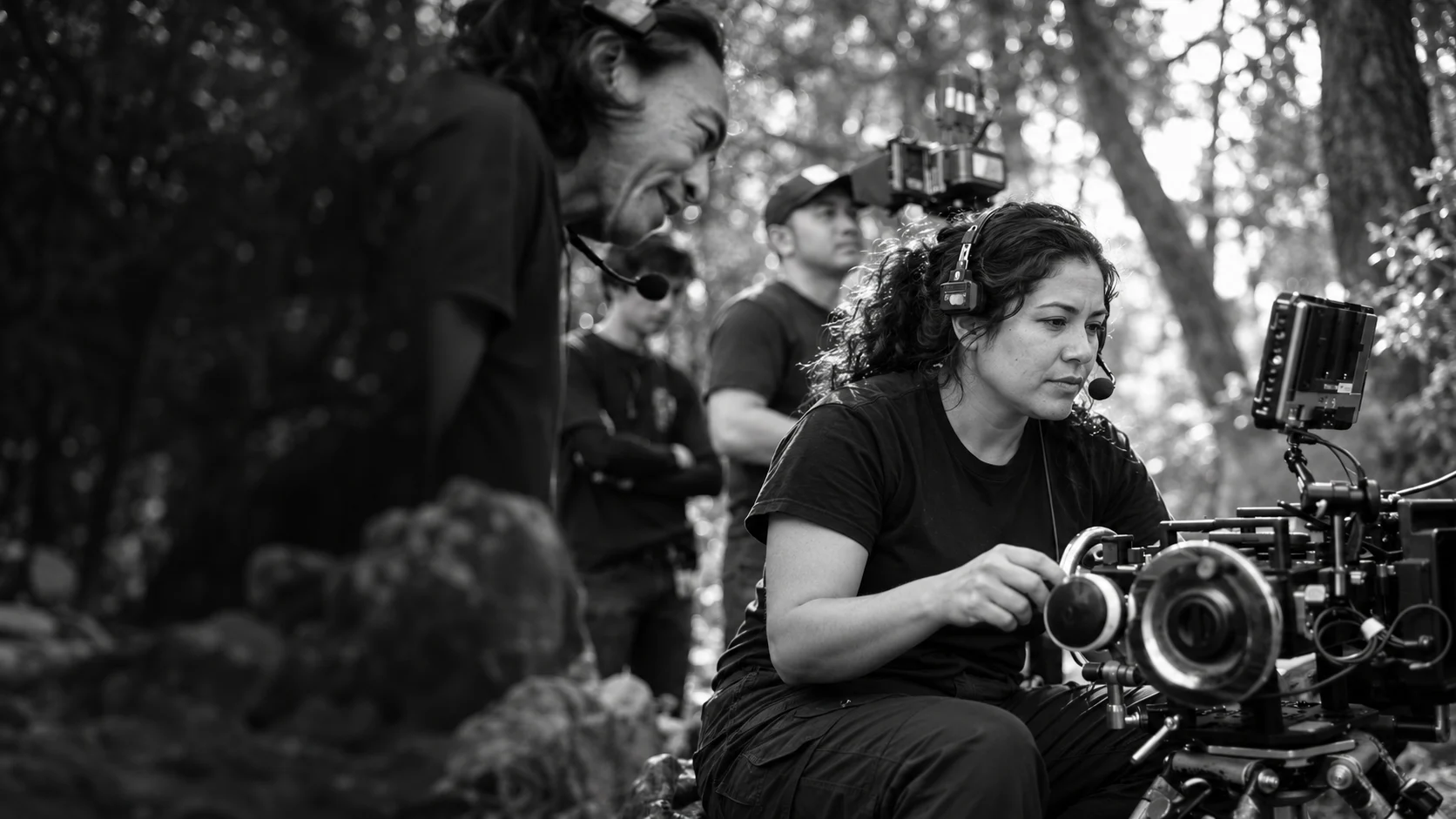
Camera operator collaborating with a crew on a production set
FROM THE FIELD.FOR THE WORK.

THE FLASHFILM DIFFERENCE

REAL WORK
IS THE STARTING POINT.

Original to FlashFilm. Grounded in the experience of people making their living in the field.

The training, workflows and resources inside the Academy are unique to FlashFilmAcademy.com and the FlashFilm Academy ecosystem. They are developed around real production and business experience: working with clients, using the tools, delivering the job and handling what happens in between.

You learn from the knowledge and experience of working professionals—and a community applying these skills in their own businesses. That experience shapes how we teach creative decisions, AI workflows, pricing, contracts and client relationships.

Experience behind the lesson

Practical context for the decisions the job demands.

Practice after the lesson

Assignments, projects and resources that help you apply it.

People beside the lesson

Shared experience, feedback and live accountability.

01 / COURSES & SKILLS

WHAT WILL YOU
BUILD NEXT?

Phases 1–6 are your foundational business courses. Build your photography and video foundations alongside them, then choose focused Skills for production, editing, AI and client work.

Open any course preview for its focus, topics and practice project. The full lessons, demonstrations and downloads stay inside the Academy.

Showing 26 of 26 courses and Skills

Phase 1: Create Your Business course coverBusiness foundation / Phase 1

BUSINESS FOUNDATION

Phase 1: Create Your Business

Make the shift from having a creative skill to building a business around a clear audience, offer and purpose.

Explore this course

A good fit for

Creators choosing their niche or putting structure behind their first business.

What you’ll explore

  • Niche, target audience and competitive research
  • Brand identity, essential business setup and gear choices
  • Pricing structure, beta clients and a website that supports sales

Put it into practice

Use the lessons to clarify who you serve, what you offer and how you present the business.

Join the Academy Members: open course
Phase 2: Build Your Business course coverBusiness foundation / Phase 2

BUSINESS OPERATIONS

Phase 2: Build Your Business

Connect the parts that turn an inquiry into a professional client experience—from the first impression to the proposal and follow-up.

Explore this course

A good fit for

Freelancers ready to make the client experience more consistent.

What you’ll explore

  • Lead handling, proposals and scope of service
  • Client value, feedback and professional presentation
  • Insurance, referrals, past-client relationships and useful business tools

Put it into practice

Review the path from first inquiry to project delivery and identify the gaps in your own process.

Join the Academy Members: open course
Phase 3: Grow Your Business course coverBusiness foundation / Phase 3

SYSTEMS & GROWTH

Phase 3: Grow Your Business

Build the systems behind a busier creative business, including time, team communication, client relationships and production logistics.

Explore this course

A good fit for

Working creators who need a more organized operation as demand grows.

What you’ll explore

  • CRM, the buying process and time management
  • Outsourcing, add-on services and team preparation
  • Production itineraries, testimonials and repeatable company practices

Put it into practice

Choose an operational bottleneck and build a more repeatable way to handle it.

Join the Academy Members: open course
Phase 4: Get the Right Clients course coverBusiness foundation / Phase 4

CLIENT ACQUISITION

Phase 4: Get the Right Clients

Match your creative service to a business problem, then build the positioning and outreach around the people who need that solution.

Explore this course

A good fit for

Creators who want more focused client acquisition.

What you’ll explore

  • Choosing a niche and developing a useful solution
  • Building a brand around the offer
  • Reaching decision-makers, presenting value and taking action

Put it into practice

Refine your target buyer, solution and next client-facing action.

Join the Academy Members: open course
Phase 5: Creating a Portfolio course coverBusiness foundation / Phase 5

PORTFOLIO STRATEGY

Phase 5: Creating a Portfolio

Give your work a story and a purpose. Shape a portfolio around the audience and service you want to be hired for.

Explore this course

A good fit for

Photographers and filmmakers building or repositioning their portfolio.

What you’ll explore

  • Audience, story, footage and shot selection
  • Music, color, sequence and a clear call to action
  • Portfolio versions, finishing and where to share your work

Put it into practice

Plan a portfolio that demonstrates the kind of work your intended client actually needs.

Join the Academy Members: open course
Phase 6: Introduction to AI course coverBusiness foundation / Phase 6

27 VIDEO LESSONS · 7 MODULES

Phase 6: Introduction to AI

Build a practical AI toolkit for your creative business. Learn to direct the tools, compare outputs and keep professional judgment in the process.

Explore this course

A good fit for

Creators who want a guided introduction to AI beyond isolated prompts.

What you’ll explore

  • Briefs with ChatGPT, Claude and Gemini
  • Image, video and voice direction across creative tools
  • APIs, MCP, computer use, skills, plugins and a guided campaign

Put it into practice

Build a small campaign from an approved brief, using the included practice materials to compare and review your choices.

Join the Academy Members: open course
Photography 101: 14-Day Challenge course coverFoundations

COLLEGE-LEVEL FOUNDATIONS · 14-DAY PATH

Photography 101: 14-Day Challenge

Never held a camera? Start with what a camera is and how its controls work. Build the lighting, exposure, composition and visual judgment behind publication-quality photography.

Explore this course

A good fit for

Complete beginners—even if camera controls, lenses and exposure mean nothing to you yet—or creators rebuilding their foundations.

What you’ll explore

  • Light, color, camera operation, exposure and composition
  • Lenses, flash, macro and studio lighting
  • Captions, ethics, communication and official-photo safety

Put it into practice

Progress from your first camera exercises to deliberate photographs you can light, compose, caption, explain and repeat. Daily assignments, peer feedback and chapter tests help you develop the working habits of a published photographer.

Join the Academy Members: open course
Video Production 101: 25-Day Challenge course coverFoundations

COLLEGE-LEVEL FOUNDATIONS · 25-DAY PATH

Video Production 101: 25-Day Challenge

Start with no camera knowledge. Build toward shooting with intention, recording clean sound, editing a clear story and delivering publication-ready video with professional working habits.

Explore this course

A good fit for

Complete beginners who want to understand the camera first, then learn the full process behind professional videography.

What you’ll explore

  • Camera systems, lenses, lighting, movement and visual storytelling
  • Production audio, interviews, field and studio production
  • Progressive DaVinci Resolve editing, media management and delivery

Put it into practice

Work from first camera setup through daily shooting exercises, scored knowledge checks and a finished 90–180-second story. Plan, light, record, edit and quality-check the work as you build toward professional shooting and delivery standards.

Join the Academy Members: open course
DaVinci Resolve — 8-Day Challenge course coverEditing

8-DAY BEGINNER CHALLENGE

DaVinci Resolve — 8-Day Challenge

Build confidence in Resolve from first launch through a finished, checked export.

Explore this course

A good fit for

New Resolve users who want an organized editing foundation.

What you’ll explore

  • Project setup, the seven pages, media organization and proxies
  • Timeline assembly, trimming, Fairlight audio and basic color
  • Titles, keyboard shortcuts, export and quality control

Put it into practice

Complete an editing capstone and inspect the delivery file, with daily knowledge checks.

Join the Academy Members: open course
Final Cut Pro — 8-Day Beginner Challenge course coverEditing

8-DAY BEGINNER CHALLENGE

Final Cut Pro — 8-Day Beginner Challenge

Learn to organize, cut and deliver in Final Cut Pro while building safe library and media habits.

Explore this course

A good fit for

Mac creators starting with Final Cut Pro.

What you’ll explore

  • Libraries, imports, proxies and the Magnetic Timeline
  • Trimming, audio roles, dialogue repair, color and titles
  • Keyboard shortcuts, reframing and delivery inspection

Put it into practice

Assemble and finish a capstone edit, then review the exported result.

Join the Academy Members: open course
AI-Powered Ads for Creative Businesses course coverAI & Web

3 ADVERTISING WORKFLOWS

AI-Powered Ads for Creative Businesses

Turn a clear creative-service offer into practical advertising plans for ChatGPT, Google Search and Facebook/Instagram.

Explore this course

A good fit for

Creative business owners preparing to test paid advertising.

What you’ll explore

  • Advertiser preparation, offer clarity and creative
  • Search intent, campaign drafts and landing-page alignment
  • Testing, qualified-lead measurement and weekly review

Put it into practice

Prepare campaign drafts and a launch packet before spending. Advertising accounts, access and ad spend are separate.

Join the Academy Members: open course
Set Up Your Computer as an AI Assistant course coverAI & Web

3-DAY GUIDED SETUP

Set Up Your Computer as an AI Assistant

Give an assistant useful business context, connect appropriate tools and learn how to delegate and review a complete task.

Explore this course

A good fit for

Creators beginning with desktop AI assistants and computer use.

What you’ll explore

  • Setup, permissions, approval choices and recovery
  • Connected tools and a clear business brief
  • Delegation, review and reusable instructions

Put it into practice

Use practice files and fictional information to complete a supervised business workflow and document a correction.

Join the Academy Members: open course
Shoot Once, Create 30 Days of Content course coverProduction

6-PART WORKSHOP

Shoot Once, Create 30 Days of Content

Plan a content day that produces useful material for a full content calendar instead of a folder of disconnected clips.

Explore this course

A good fit for

Creators packaging content days for businesses or their own brand.

What you’ll explore

  • Content strategy, shot lists and production scheduling
  • Reusable footage, photos and sound
  • Master edits, meaningful variants, carousels and stories

Put it into practice

Plan and deliver a coordinated 30-day content package, then review it against the original brief.

Join the Academy Members: open course
Monthly Content Clients course coverClient Growth

6 NARRATED WORKSHOPS

Monthly Content Clients

Build a recurring content service around a real buyer need, a manageable production cycle and clear renewal value.

Explore this course

A good fit for

Creators moving from individual gigs toward recurring client work.

What you’ll explore

  • Buyer needs, packages, margin and discovery
  • Proposals, onboarding and monthly production
  • Useful reporting and renewal conversations

Put it into practice

Develop a priced monthly offer, discovery script, proposal, onboarding checklist, production calendar and renewal review.

Join the Academy Members: open course
AI Commercial Filmmaking course coverAI & Web

6 NARRATED WORKSHOPS

AI Commercial Filmmaking

Take a commercial from brief to storyboard, controlled AI generation, edit and a presentable delivery package.

Explore this course

A good fit for

Creators exploring AI-assisted commercial concepts and production.

What you’ll explore

  • Creative briefs, storyboards and continuity references
  • Controlled motion tests, editing, voice and sound
  • Rights, truthful presentation and delivery checks

Put it into practice

Build a clearly labeled speculative 30-second commercial with alternate hooks, storyboard and asset-rights log.

Join the Academy Members: open course

Corporate Interviews & Testimonials course coverProduction

6 NARRATED WORKSHOPS

Corporate Interviews & Testimonials

Capture a credible customer story with thoughtful questions, a controlled setup and a clear approval process.

Explore this course

A good fit for

Filmmakers working with business owners, employees and customers.

What you’ll explore

  • Story research, interview preparation and room scouting
  • Lighting, dialogue, natural answers and two-camera coverage
  • Supporting footage, story editing and client approval

Put it into practice

Create a 60–90-second customer story, short extracts, a question guide, lighting plan and approval record.

Join the Academy Members: open course

Pitch, Film & Deliver a Podcast course coverProduction

6 NARRATED WORKSHOPS

Pitch, Film & Deliver a Podcast

Build the service behind a professional podcast, from a useful business pitch to a produced pilot and promotional clips.

Explore this course

A good fit for

Creators adding podcast production to their services.

What you’ll explore

  • Service pitch, show bible and guest planning
  • Set design, cameras, audio and recording sessions
  • Multicam editing, audio mixing, clips and delivery

Put it into practice

Develop a service pitch, show bible, setup plan, edited pilot, audio master and three promotional clips.

Join the Academy Members: open course
Build Your Website with ChatGPT Sites course coverAI & Web

6 NARRATED WORKSHOPS

Build Your Website with ChatGPT Sites

Create a business website with a clear job: explain your service, show relevant proof and make the next step work.

Explore this course

A good fit for

Creators building or improving their own business website.

What you’ll explore

  • Business goals, prompting and the first version
  • Design, permissioned imagery and mobile layout
  • Working inquiry paths, search visibility and maintenance

Put it into practice

Build a branded website with tested navigation and inquiry flow, supported by a practice kit and launch checklist.

Join the Academy Members: open course
Lighting Lab: 10 Professional Looks course coverProduction

6 WORKSHOPS · 10 LOOKS

Lighting Lab: 10 Professional Looks

Learn to control and repeat a look using placement, softness, contrast, separation and color.

Explore this course

A good fit for

Photographers and filmmakers who want deliberate lighting choices.

What you’ll explore

  • Window light, open shadows, Rembrandt and split light
  • Clamshell, background separation, product texture and silhouettes
  • Practical motivation and controlled color

Put it into practice

Build a ten-look portfolio with a frame, overhead diagram, settings and repeatable setup notes for each look.

Join the Academy Members: open course
Clean Audio for Filmmakers course coverProduction

6 NARRATED WORKSHOPS

Clean Audio for Filmmakers

Follow dialogue from microphone placement to final mix, with an emphasis on preventing problems before trying to repair them.

Explore this course

A good fit for

Filmmakers who need dependable dialogue on real shoots.

What you’ll explore

  • Room assessment, lavaliers, booms and handheld microphones
  • Gain, monitoring, backup recording and synchronization
  • Dialogue editing, restrained cleanup, mixing and delivery

Put it into practice

Finish a clean dialogue scene with original recordings, synchronized edit, cleanup notes and a checked delivery file.

Join the Academy Members: open course

Directing People Who Aren’t Actors course coverProduction

6 NARRATED WORKSHOPS

Directing People Who Aren’t Actors

Help real people feel comfortable and give believable performances in interviews, branded content and supporting footage.

Explore this course

A good fit for

Creators filming clients, employees and everyday people.

What you’ll explore

  • Trust, preparation and playable direction
  • Blocking, eyelines and direct-to-camera delivery
  • Useful B-roll, continuity and performance review

Put it into practice

Direct a natural short scene with a consenting participant and record what improved between takes.

Join the Academy Members: open course
Event Content: Capture & Deliver course coverProduction

6 NARRATED WORKSHOPS

Event Content: Capture & Deliver

Translate an event brief into coverage you can actually deliver across a highlight film, vertical clips and photos.

Explore this course

A good fit for

Creators covering corporate events, live experiences and celebrations.

What you’ll explore

  • Deliverables, scouting and a coverage map
  • Sequences, speakers, reactions and media management
  • Highlight editing, vertical versions and the final handoff

Put it into practice

Build an event coverage plan and a permissioned package with a highlight film, vertical clips, selected photos and handoff manifest.

Join the Academy Members: open course
AI Video Effects: Enhance Your Footage course coverAI & Web

20 VIDEO LESSONS + PRACTICE KIT

AI Video Effects: Enhance Your Footage

Use AI to direct changes to existing footage while protecting the performance, physical contact and continuity that make the shot believable.

Explore this course

A good fit for

Filmmakers exploring practical and visible AI effects.

What you’ll explore

  • Source preparation, prompts and character/product/location references
  • Relighting, props, object removal, wardrobe and timed transformations
  • Animation, transitions, continuity and final inspection

Put it into practice

Preserve a performance, create a believable enhancement and add a visible effect using supplied practice footage or your own approved material.

Join the Academy Members: open course
Photo Booth Business: Build, Book & Run course coverClient Growth

29 VIDEO LESSONS · 5 STEPS

Photo Booth Business: Build, Book & Run

Explore the whole photo booth operation: business model, equipment sourcing, booking website, client acquisition and event delivery.

Explore this course

A good fit for

Beginners evaluating or launching a photo booth service.

What you’ll explore

  • Formats, pricing, software, DIY and ready-made booth options
  • A booking website, local search, venues, quotes and upsells
  • Printing, guest flow, backup procedures, gallery delivery and attendants

Put it into practice

Use the student kit to plan sourcing, costs, lead handling, event readiness and a launch rehearsal.

Join the Academy Members: open course

Build & Sell AI Business Automations course coverAI & Web

24 VIDEO LESSONS · 8 MODULES

Build & Sell AI Business Automations

Move from making content to solving a client’s workflow problem with ChatGPT, Codex and a tested inquiry system.

Explore this course

A good fit for

Creators adding practical business systems to their service offer.

What you’ll explore

  • Discovery, workflow mapping, inquiry capture and a protected dashboard
  • AI-assisted drafts, integrations, follow-up and booking logic
  • Testing, hosting, monitoring, owner handoff and service pricing

Put it into practice

Build with synthetic data in the classroom project, then plan the implementation and verification a real deployment requires.

Join the Academy Members: open course
Get Found Locally: Searches to Inquiries course coverClient Growth

18 VIDEO LESSONS · 7 MODULES

Get Found Locally: Searches to Inquiries

Connect local buyer intent, useful service pages and genuine proof to an inquiry path you can measure.

Explore this course

A good fit for

Creative service businesses looking to improve their local presence.

What you’ll explore

  • Buyer research, eligible Google Business Profiles and accurate service details
  • Service pages, reviews, case studies and local relationships
  • Inquiry forms, Search Console, source tracking and improvement planning

Put it into practice

Audit your public presence, build a service-page prototype and create a 30-day plan measured by qualified inquiries and bookings.

Join the Academy Members: open course
BUILD THE CRAFT. BUILD THE BUSINESS.

Start with the foundation you need, then choose a Skill that supports your next project. Challenge lengths describe the learning path; work through the material at your own pace.

02 / THE AI PROMPT LIBRARY

A WORKFLOW.
WITH CONTEXT.

Purpose-built prompt resources for real creative-business tasks. Each of these six areas includes prompts, an example and a walkthrough so you can understand how to use the workflow.

Bring your own facts and judgment. Check the output before using it with a client.

Find Your Next Client prompt workflow cover
WORKFLOW / 01

Find Your Next Client

Turn business context and public research into a more focused list of potential buyers and next actions.

Client Conversation to Proposal prompt workflow cover
WORKFLOW / 02

Client Conversation to Proposal

Organize discovery notes into a proposal direction that connects the client’s needs to a clear scope.

One Shoot, 30 Days of Content prompt workflow cover
WORKFLOW / 03

One Shoot, 30 Days of Content

Use a repeatable planning workflow to connect one production day to a coordinated content calendar.

Pitch the Commercial prompt workflow cover
WORKFLOW / 04

Pitch the Commercial

Develop an idea, explain the business purpose and prepare a more concrete commercial pitch.

Keep the Client prompt workflow cover
WORKFLOW / 05

Keep the Client

Prepare useful reporting, follow-up and renewal conversations around the value of the work.

Retail Style Product Photos prompt workflow cover
WORKFLOW / 06

Retail Style Product Photos

Explore a reference-led product-image workflow with prompts, an example and a walkthrough.

03 / THE WORKING RESOURCES

BEHIND EVERY
PROFESSIONAL JOB.

Doing the work is one part of running a business. These libraries support the conversations, pricing, proposals, expectations and follow-through around it.

01 / TOOLS & TEMPLATES

From inquiry
to renewal.

Practical starting points for pricing, client discovery, packaging an offer, proposals, onboarding, revision conversations and the next booking.

Explore the tools & templates
  • Non-buyers Email Feedback Template
  • Previous Client Feedback Form
  • Referral Request Email Template
  • Testimonial Request Template for Emails
  • 5-Part Client Outreach Email Sequence
  • 7 Brochure​ Style Proposal Templates
  • Structure Base Pricing Calculator
  • Client Feed Back Template
  • Client Discovery Call Worksheet
  • Three Tier Service Package Builder
  • Local Business Content Audit
  • 30 Day Outreach and Follow Up System
  • Proposal That Sells the Outcome
  • Client Onboarding & Project Kickoff Kit
  • Revision & Extra Work Response Kit
  • Project Results & Renewal Report

Adapt the resources to the client, the scope and the way your business operates.

02 / LEGAL + CONTRACTS

Clear terms.
Better expectations.

Creator-specific agreement resources covering photography, video production, releases, licensing, collaborators, equipment, recurring services and podcast work.

Explore the agreement library
  • 2nd-Shooter Non-Compete Agreement
  • Aerial Photography Agreement
  • Aerial Video Agreement
  • Commercial Photography Agreement
  • Corporate Event Photography Agreement
  • Headshot Photography Agreement
  • Covid-19 Waiver of Liability Agreement
  • Equipment Rental/Loan Agreement
  • Family Portraits Agreement
  • Graphic Design Agreement
  • Live streaming Agreement
  • Media Release Contract Agreement
  • Model Release Agreement
  • Music License Agreement
  • NDA - Non-Disclosure Agreement
  • Non-Refundable Retainer Agreement
  • Photo Licensing Agreement
  • Property Release Agreement
  • Real Estate Aerial Drone Photo Agreement
  • Real Estate Photography Agreement
  • Video Production Real Estate Agreement
  • Service Subscription Agreement
  • Social Media Management Agreement
  • Video Editing Agreement
  • Video Licensing Agreement
  • Video Production Agreement
  • Wedding Photography Agreement
  • Wedding Videography Agreement
  • Podcast Contract Bundle Pack
  • Cease and Desist Letter Pack for content
  • Ultimate Photo & Video Contract pack

For public product details and standalone purchases, visit Contracts & Tools ↗. Templates need to be adapted to your circumstances; they do not replace your own legal advice.

04 / LIVE ACCOUNTABILITY

BRING THE WORK.
BRING THE
ROADBLOCK.

A place to turn what you’re learning into your next move.

Join live, interactive accountability meetings with Ty and the Academy community. Share progress, talk through hurdles, compare approaches and learn from people doing the work in the field.

The conversation follows the realities of running a creative business: client communication, production decisions, new tools, useful systems and lessons from recent projects.

Join the Academy

Meeting dates and member access details are posted inside Flash5 Accountability Sessions. Catch up through the Accountability Archive when you cannot attend live.

Illustrated community preview · Hover, focus or tap to explore.
  1. 01

    Check in with a purpose.

    Bring a goal, a question, a recent win or the problem holding up your next step.

  2. 02

    Learn from shared experience.

    Hear how other working creators approach tools, projects, clients and business decisions.

  3. 03

    Return with something to try.

    Choose an action, put it into practice and bring what you learned back to the community.

ALSO INSIDE / ACCOUNTABILITY ARCHIVE

Recent replay topics include AI-assisted client workflows, storyboards and pitching, multicamera event production, content automation and knowing when real footage is the right choice.

05 / THE BUSINESS BUILDER NETWORK

KEEP THE
CONVERSATION GOING.

The community continues between courses and meetings. Ask a focused question, share work for feedback or compare the choices behind a real project.

Gear & SoftwareAI & AutomationGet Feedback & Share WorkSales & Business ToolsLive Streaming & PodcastingWeddings, Events & RentalsBuy / Sell / Rent / HireBackstageAlternate Angles

Plus FlashPoints, Flash5 Reviews, Beta Client Connect, On Set and Ty Tales: spaces for ideas, practical context and the experience behind the work.

06 / TAKE YOUR FIRST STEP

START WITH
SOMETHING USEFUL.

Want to experience the approach first? Start with the free Creator Client Kit, or choose one of these free challenges and resources.

THE FEATURED FREE RESOURCE

The Creator Client Kit

A focused first step toward a clearer offer and your next client conversation.

Get the free Client Kit

Free resources are a starting point. Third-party software, hardware, AI subscriptions and usage costs are separate from Academy access.

BEFORE YOU JOIN

THE DETAILS
THAT MATTER.

What makes this training different?

FlashFilm Academy’s original content is unique to FlashFilmAcademy.com and the Academy ecosystem. It is shaped by real production and business experience from people working in the field, with practical projects and a community applying the ideas.

Do I have to start at the beginning?

Choose the foundation that fits your experience. New creators can build camera and editing confidence alongside the Flash5 business phases. Working professionals can target a specific production, AI or business Skill.

What will I actually do inside?

Depending on the course, you will work through narrated workshops or written lessons, guided demonstrations, practice assignments, knowledge checks and capstone projects. Open each preview above to see its specific focus and practice work.

Is the full training on this page?

This is the public guide. Full course instruction, member demonstrations, copyable workflows, practice kits and downloadable resources remain inside the Academy.

What does membership cover?

Explore the Academy’s courses, Skills, resource libraries, community and live accountability described here, then review the current membership options at checkout. Free challenges have their own access. Standalone purchases, separately arranged one-on-one services and third-party tools are separate.

Does learning this guarantee clients or income?

The training helps you develop skills, offers and working practices. Results depend on your work, experience, market and execution. Client bookings, search rankings and income are not guaranteed.

YOUR NEXT CHAPTER

CREATE.
ADAPT.
EARN.

Build the skill.
Understand the tools.
Put the work into the world.

Join the Academy Have a question? Email the Academy